A service history the seller can’t rewrite
What the shop seals and what you add yourself sit in one service book tied to the car’s VIN. Once a shop seals a job, nobody can change it, and anyone can check it without an account.
Free, with no subscription and no commission.
Demo, sample data
The owner taps “Show QR to the shop” in the wallet; a single-use QR code appears, valid for 5 minutes. It never carries the VIN.
Record a receipt once, and on sale day the buyer sees the same history
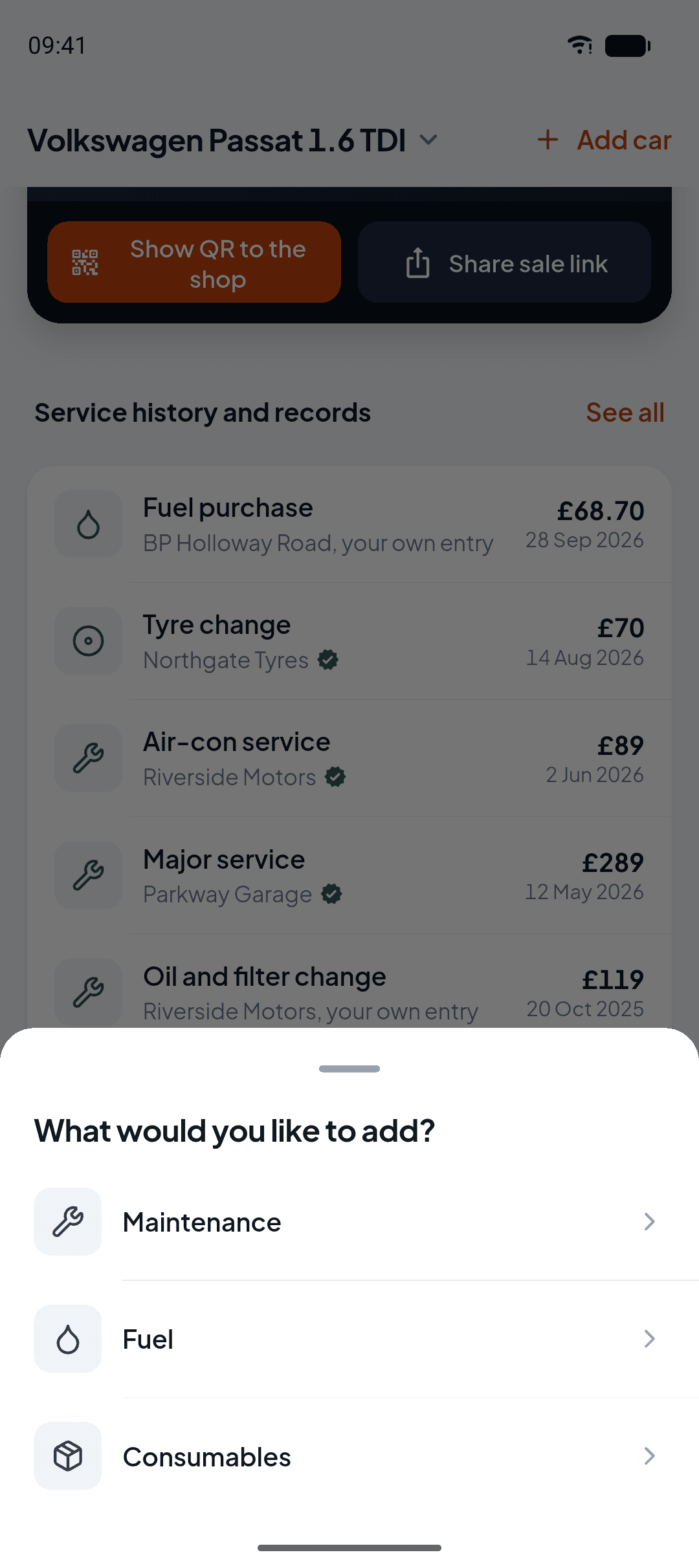
From a service to a fill-up, you add every record from the same place.
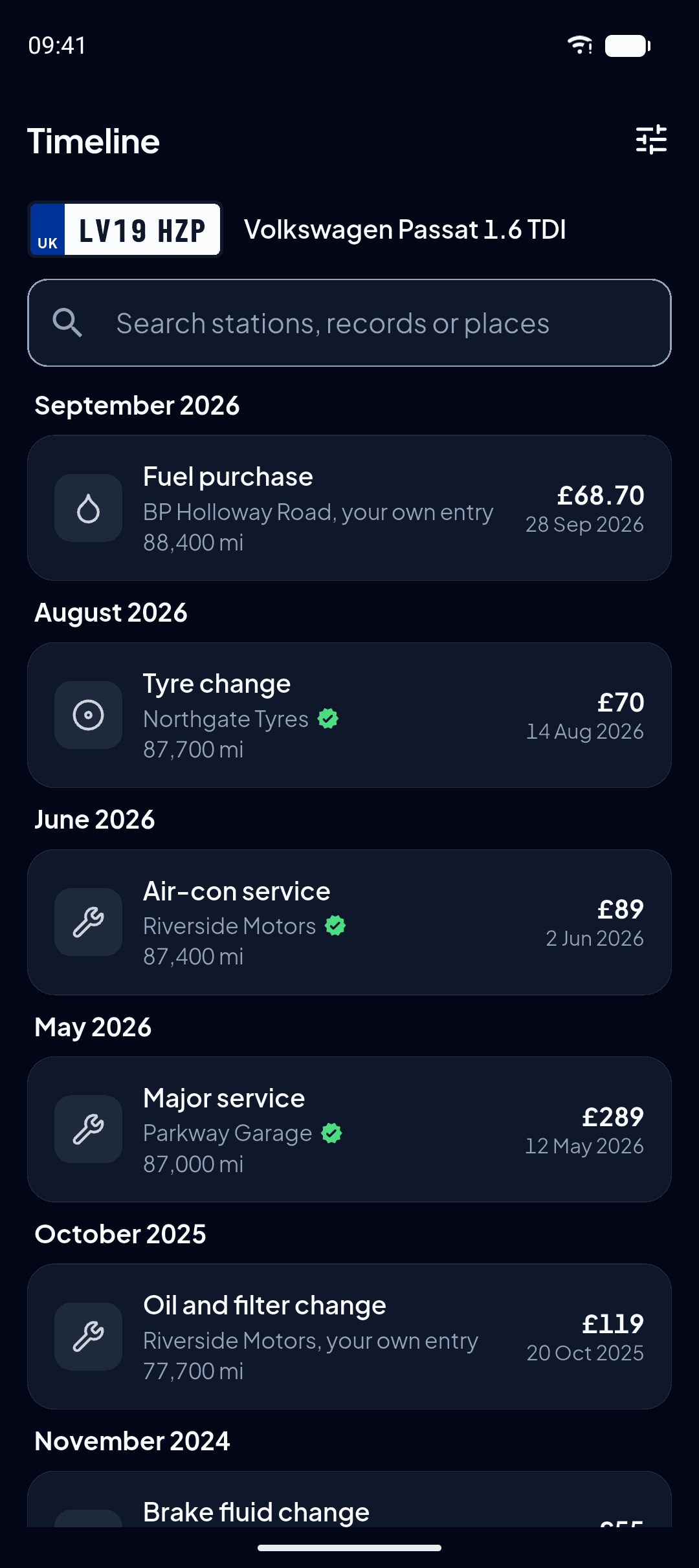
Every record sits in the same timeline with its date, odometer and source.
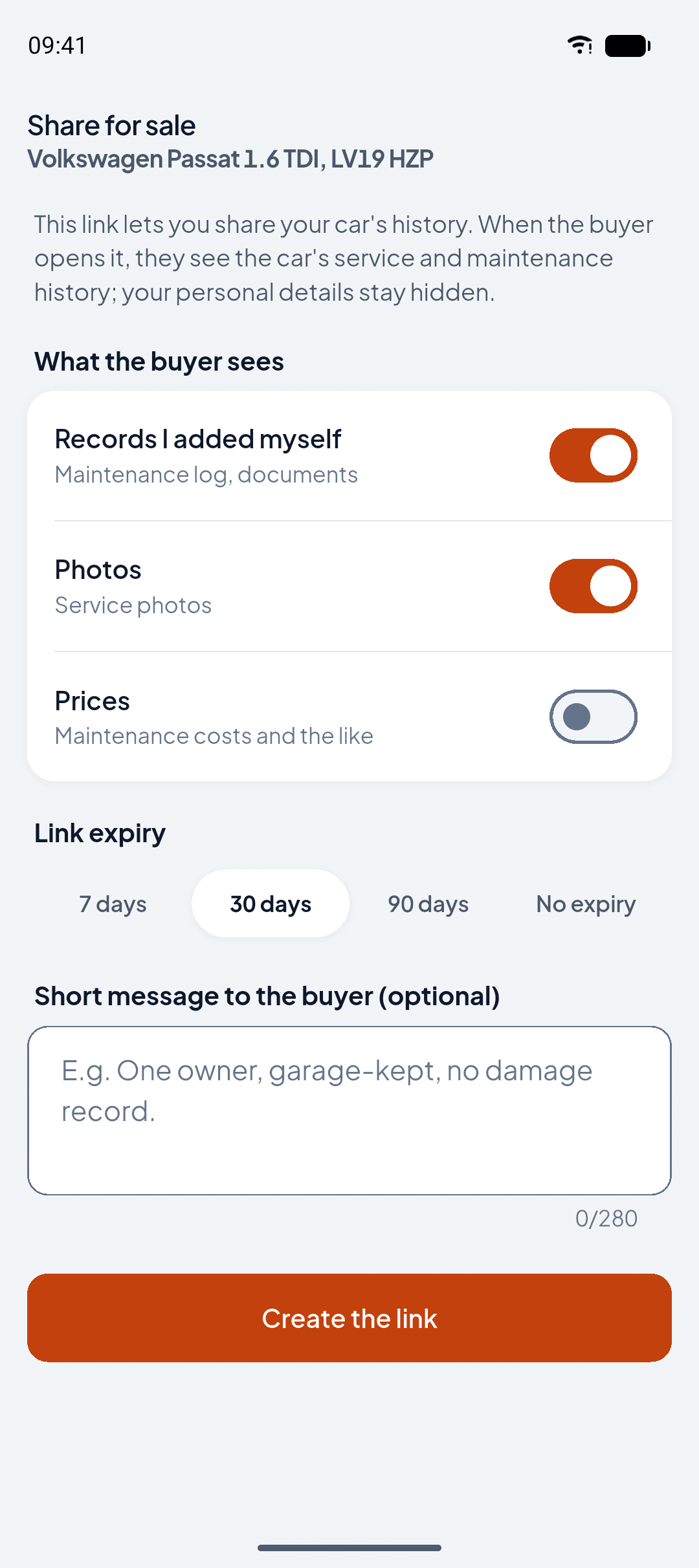
When you sell, you send the buyer a QR code or a WhatsApp link and decide what they get to see.
In the app, every car keeps its own records and its own spending
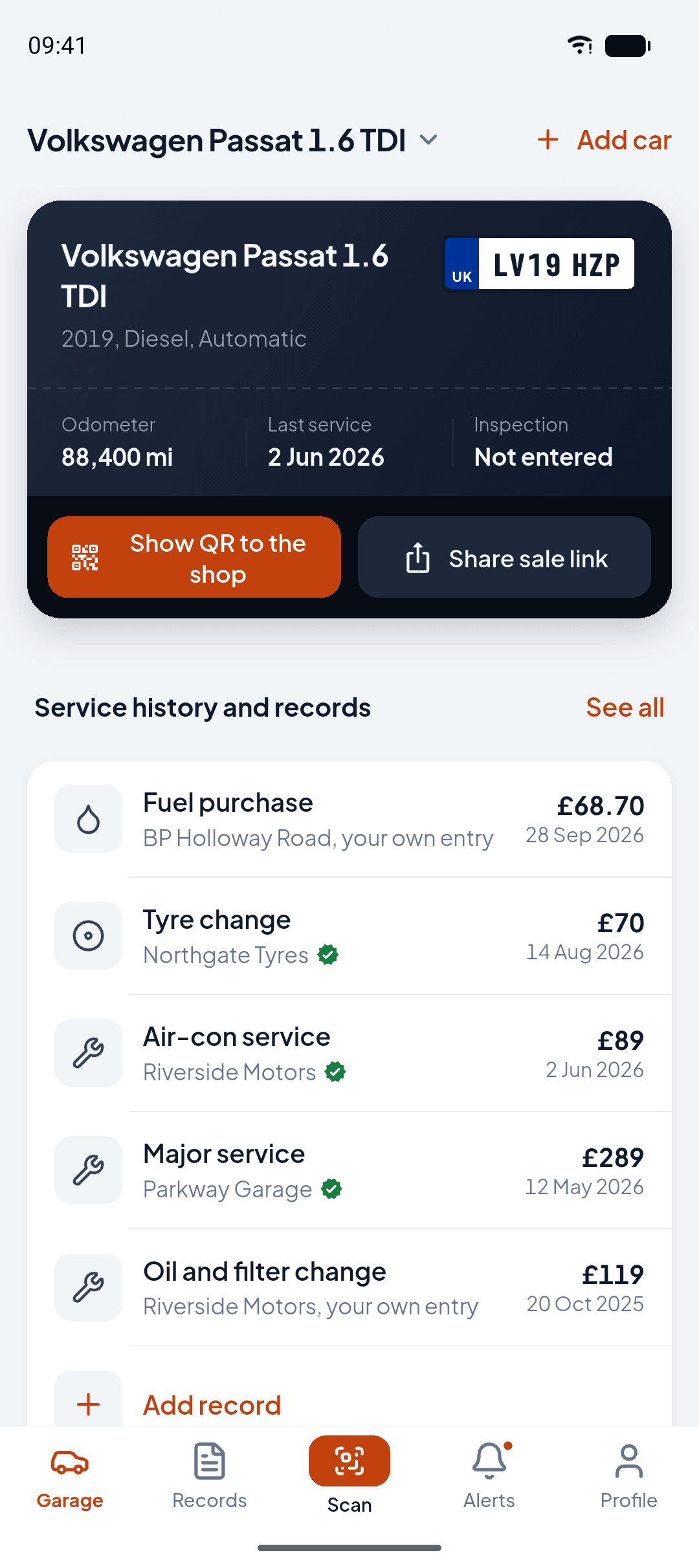
Garage: the car’s card and its history
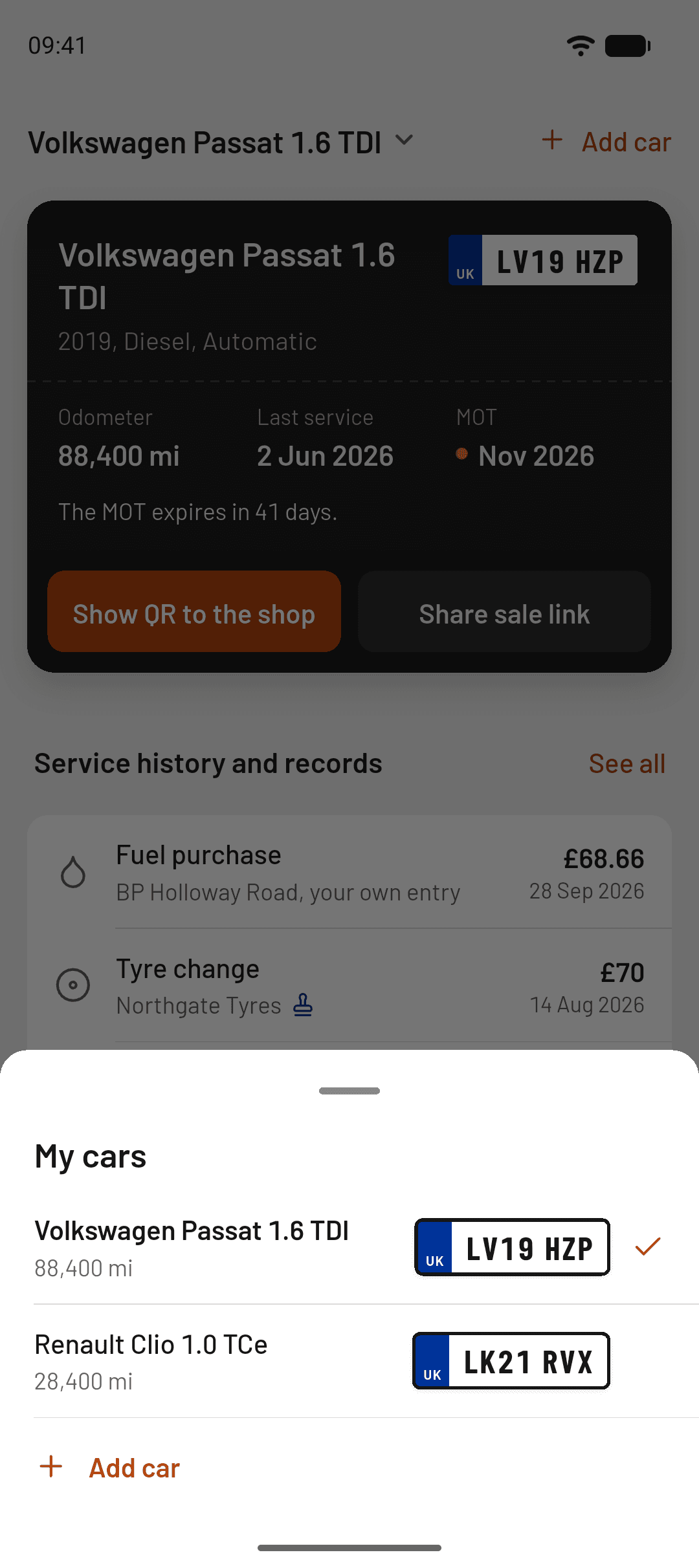
My cars: plate and odometer
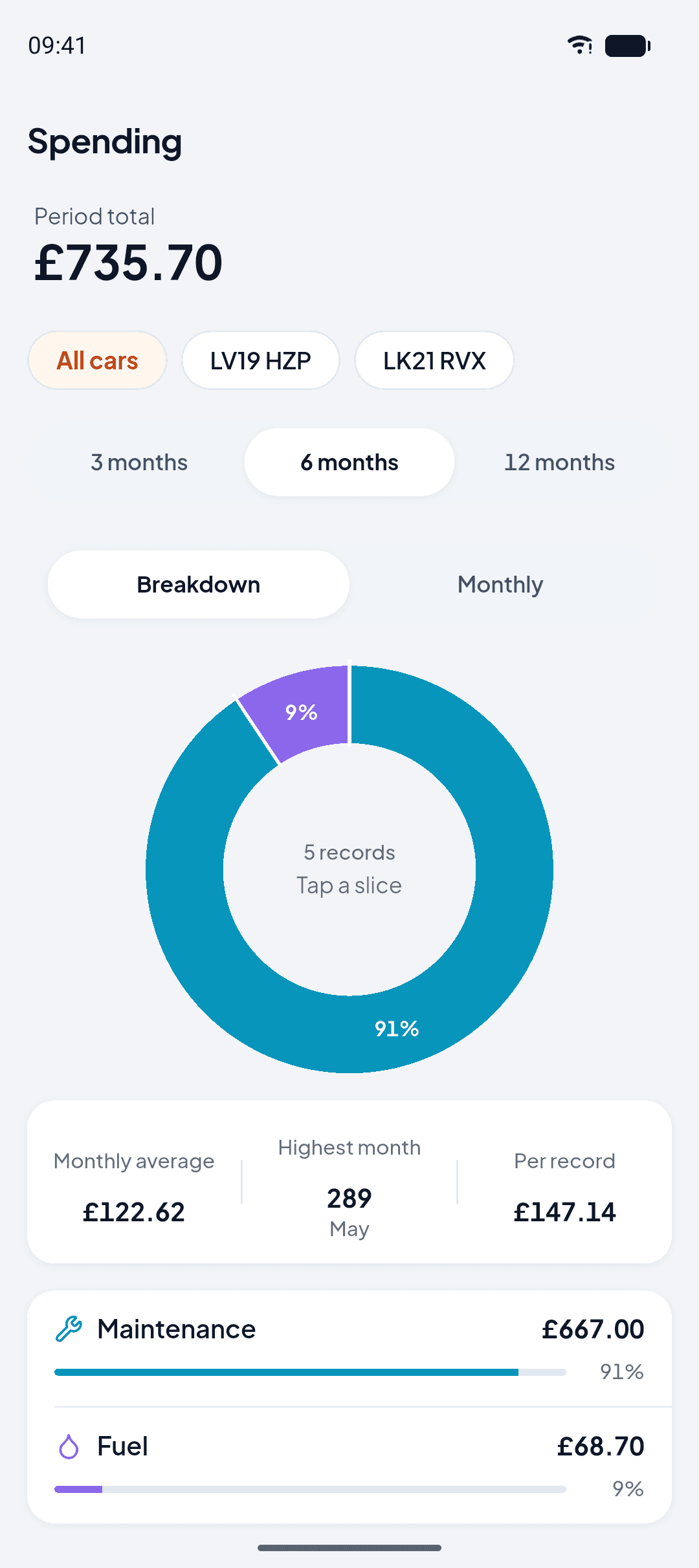
Spending: period total and breakdown
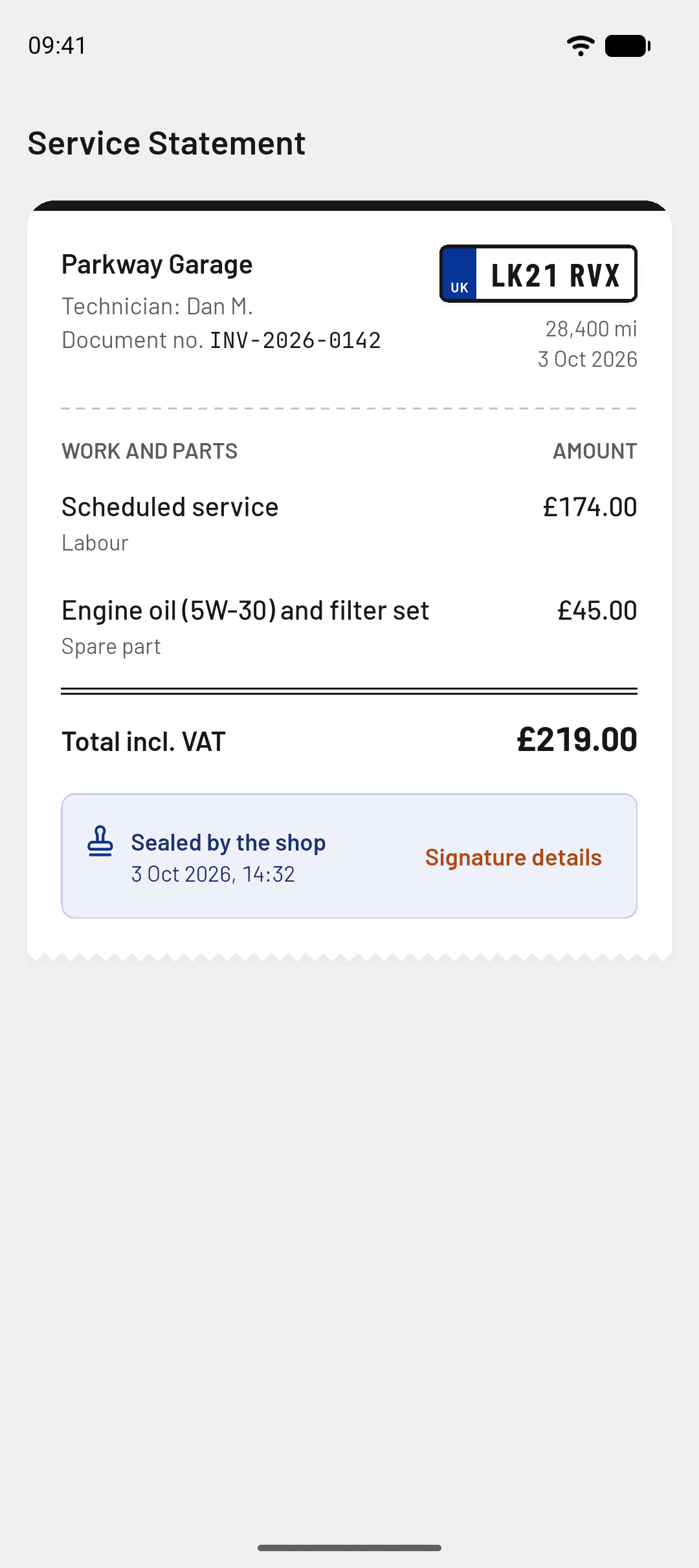
Service Statement: the record the workshop sealed
Try the app here before you download it
Five screens, from the garage to the sale link, that you can tap through. It is a demo running on sample data; the app itself is on Google Play and the App Store.
Demo, sample data

For car owners
Claim the shop’s record into your wallet by QR, and show it with one link when you sell.
Open your walletFor repair shops
Open the work order on a phone with the plate and the VIN. When the job is done, send the customer a sealed Service Statement. Your account opens once our team has approved your tax registration certificate.
Register your shopAre you an Ekspertiz centre or a dealership? Invitation-only pilot
Frequently asked questions
What is OtoTasdik?
A history wallet for your car. It gathers your service, ekspertiz and inspection records in one VIN-keyed place. You claim them with the QR code the shop gives you and share them with a buyer through one link.
Is OtoTasdik free?
Yes. Car owners and independent repair shops pay nothing, with no subscription and no commission. Ekspertiz centres and dealerships are in an invitation-only corporate pilot.
How is a car’s history looked up?
The owner creates a link with Share sale link and picks what it shows; the buyer opens it without an account. Anyone can check a sealed record on the verification page with the code on its Service Statement. A lookup by plate or VIN needs a sign-in.
Does the Service Statement replace an invoice?
No. It is a digital service document produced by OtoTasdik; it does not replace a GİB e-Arşiv invoice. The official tax document is issued separately and the two stand side by side.
Where is my data stored, and under which law?
Records are stored in the EU, in AWS’s Frankfurt region (eu-central-1). They are processed under Turkish data protection law (KVKK) and, for users in the EU, under the GDPR. If you use the document scan, the photo goes to Google Gemini (Google LLC, USA), and only after you consent. If you delete your account, records tied to the VIN stay with the car without your name.
How do I use it as a repair shop?
Your account opens once our team has approved your tax registration certificate. You open the work order on a phone with the plate and the VIN, or from the customer’s Show QR to the shop code. Once the job is sealed, you create the Service Statement PDF and send it to the customer by QR or WhatsApp. It is free of charge.
Published in English
The site is written in Turkish. The pages below are also published in English; everything else lives on the Turkish site.
- Home
- Platform
- How it works
- Features
- Security
- Get the app
- Car owners
- Repair shops
- What’s new for workshops
- Ekspertiz centre
- Dealers & showrooms
- Verify a report
- Guides